Why Invoice Extraction Isn’t Enough: The Importance of ERP Validation
- Why Invoice Extraction Isn’t Enough: The Importance of ERP Validation
- AI Can Read Your Invoice. But Can It Tell Whether It's Right?
- Extraction Solves the Typing Problem
- ERP Validation Answers Questions OCR Cannot
- Why This Matters More Than Extraction Accuracy
- GoldFinch Connects AI to the ERP Record
- Validation Does Not Replace Human Judgment
- The Better Measure of AP Automation
AI Can Read Your Invoice. But Can It Tell Whether It’s Right?
Modern AI can extract useful information from a supplier invoice in seconds. It can identify the vendor name, invoice number, dates, currency, PO number, quantities, prices, taxes, and line items without requiring an AP employee to type every field into an ERP system.
That is valuable. But it leaves a more important question unanswered: Does this invoice agree with the business records that determine whether it should be processed?
An AI model may correctly read a PO number. That does not mean the PO exists in your ERP. It may correctly extract a quantity of 500 units. That does not mean the warehouse received 500 units. It may accurately identify a vendor name. That does not mean it maps to the correct vendor record in your system.
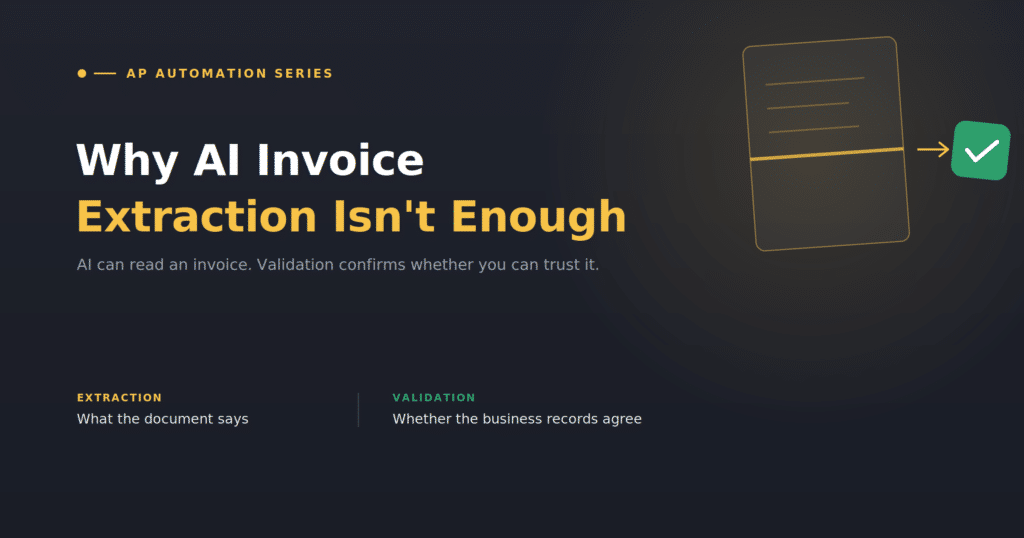
Extraction tells you what the supplier document says. Validation helps determine whether you can trust it.
Extraction Solves the Typing Problem
Traditional invoice processing begins with transcription. A supplier sends an invoice, and AP manually enters the vendor, invoice number, dates, payment terms, PO number, items, quantities, costs, and taxes.
AI extraction can remove much of that repetitive work. Instead of starting with a blank Purchase Invoice, the AP team can start with information already extracted from the supplier document.
But an extracted field is not automatically a trustworthy accounting field. A supplier invoice represents the supplier’s version of the transaction. Your ERP contains your organization’s version: vendor records, purchasing history, receiving activity, item information, and accounting history. A controlled AP workflow needs both.
ERP Validation Answers Questions OCR Cannot
For PO-related invoices, GoldFinch can validate applicable, available extracted information against relevant ERP records before creating a draft Purchase Invoice. Depending on the transaction and configuration, that can include vendor, Purchase Order, warehouse receipt, received quantity, item and Unit of Measure, currency, duplicate-invoice information, and required information checks.
These checks do not mean every invoice should automatically post. They help AP avoid reconstructing every routine transaction from scratch. GoldFinch creates a draft Purchase Invoice for user review, and the finance team remains responsible for reviewing and posting the accounting transaction.
Why This Matters More Than Extraction Accuracy
“How accurate is the extraction?” is a reasonable question when evaluating AI invoice software. It is not the only question.
A correctly extracted invoice can still require attention. The supplier may have referenced the wrong PO. Receiving may not yet have recorded a delivery. The vendor may have submitted a duplicate invoice. The PO may have changed after the invoice was issued. Or a quantity, currency, item, or Unit of Measure may not agree with ERP records.
These are not necessarily OCR failures. They are business-validation issues.
Without ERP validation, AP may save typing time but still spend substantial time manually checking extracted data. With validation, routine checks can occur first, allowing AP to focus on reviewing completed drafts and investigating transactions that do not agree.
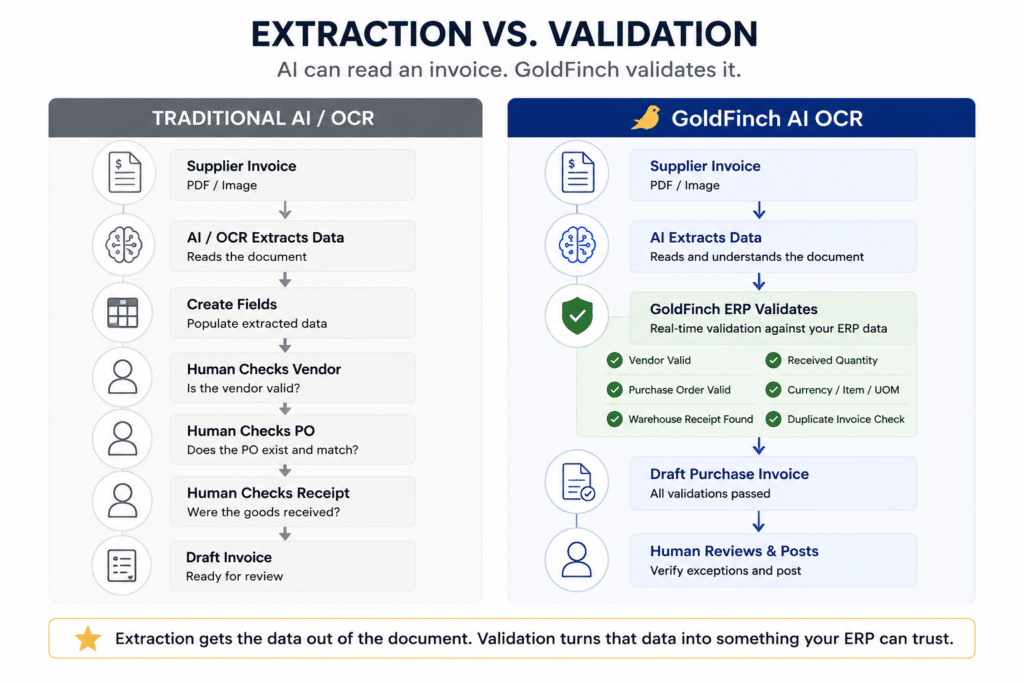
GoldFinch Connects AI to the ERP Record
The workflow is straightforward: supplier invoice received → AI extracts invoice data → GoldFinch validates available ERP information → draft purchase invoice created → user reviews and posts.
The AI reads the document. GoldFinch compares applicable information with relevant business records maintained in the ERP. The AP user reviews the resulting draft before it becomes a posted accounting transaction.
This matters especially for manufacturers, distributors, food banks, and nonprofit meal programs, where a supplier invoice may be closely connected to purchasing, receiving, inventory, and operational activity.
See GoldFinch AI OCR in Action
Watch how a supplier invoice moves from document extraction through ERP validation to a draft Purchase Invoice ready for review.
Validation Does Not Replace Human Judgment
A good AP process should not assume that every mismatch is an error—or that every clean result should be posted without review. Validation is a control layer. It makes discrepancies visible before they move forward normally, so the AP team can determine what happened and what should happen next.
For PO-related invoices, comparing what was ordered, received, and invoiced is commonly called three-way matching. For the detailed explanation, see How Three-Way Matching Works—and Why It Matters for AP Automation. For how teams investigate mismatches, see What Happens When AI Gets an Invoice Wrong? Managing AP Exceptions Without Losing Control.
Non-PO invoices may not have a PO or warehouse receipt to compare. They still benefit from a controlled review process, appropriate vendor and duplicate checks, and clear approval and posting procedures.
The Better Measure of AP Automation
The goal is not simply to process invoices faster. The goal is to reduce repetitive data entry while maintaining confidence in the transactions that enter accounting.
Ask a better question than “Can the AI read this invoice?” Ask: Can the system compare what the supplier invoice says with the ERP records that help determine whether the transaction makes sense?
That is where AI becomes more than document capture. It becomes part of a controlled AP workflow.
Related reading:
How AI Purchase Invoice Processing Reduces Manual AP Data Entry
How Three-Way Matching Works
What Happens When AI Gets an Invoice Wrong?
See how GoldFinch validates extracted supplier-invoice data against the ERP records your AP team already relies on.